How to Fix Genie Garage Door Keypad Not Working
You’re standing outside your garage, fingers tapping your Genie keypad repeatedly, but nothing happens. The frustration mounts as you realize you’re locked out of your own garage—a scenario that affects countless homeowners daily. When your Genie garage door keypad not working issue strikes, it’s more than an inconvenience; it disrupts your routine and security. The good news is that 90% of keypad failures have straightforward fixes you can implement in under 15 minutes without professional help.
Most Genie keypad problems stem from simple causes like dead batteries, programming glitches, or environmental factors rather than permanent hardware failure. This comprehensive guide cuts through the confusion with specific, actionable solutions tailored to your exact symptoms. Whether you’re dealing with unresponsive buttons, intermittent operation, or complete keypad silence, we’ll help you diagnose the problem and restore reliable access to your garage immediately.
Dead Battery Symptoms
Dim LED Display Issues
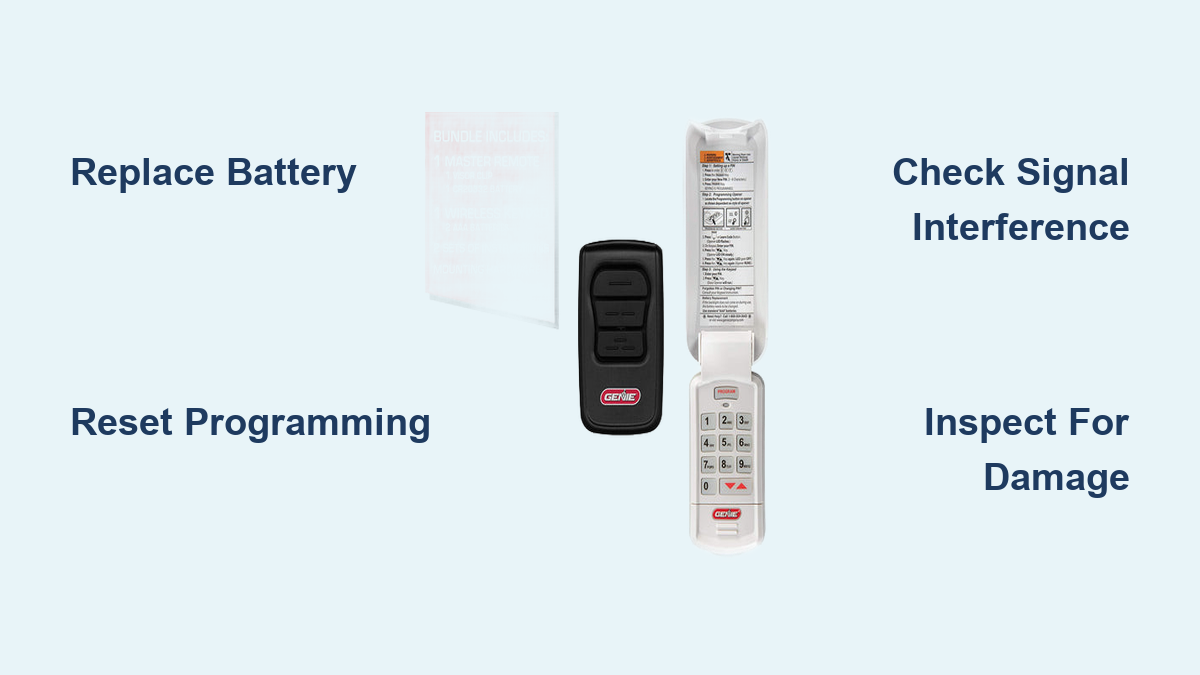
A failing battery announces itself through subtle visual clues before total failure. Your Genie keypad’s LED display appears significantly dimmer than normal, or buttons require multiple presses to register input. The backlight might flicker erratically or vanish completely after a brief illumination. These warning signs indicate your battery is nearing depletion but still has enough power for emergency troubleshooting.
Battery Replacement Steps
- Slide keypad upward from its mounting bracket to remove it from the wall
- Open battery compartment using a coin or flathead screwdriver
- Disconnect old 9-volt battery while noting positive/negative orientation
- Clean terminals with dry cloth to remove corrosion buildup
- Install fresh alkaline battery ensuring firm metal contact on both ends
- Test functionality immediately by entering your PIN and pressing Enter
Pro tip: Always keep spare 9-volt alkaline batteries (not rechargeable) in your garage toolkit. Genie keypads typically drain batteries every 12-18 months with regular use, but cold weather can accelerate this process dramatically.
Reset Keypad Programming
Programming Mode Activation
Lost programming accounts for 25% of “Genie garage door keypad not working” cases. Extended battery removal, power outages, or electromagnetic interference can erase your keypad’s memory. When buttons beep but the door doesn’t respond, programming loss is almost certainly the culprit—especially if the LED lights function normally.
Intellicode Programming Steps
- Locate Learn button on garage door opener motor (typically red or purple)
- Press and hold until indicator light blinks rapidly (about 2-3 seconds)
- Enter new 4-digit PIN within the 30-second programming window
- Press and hold Enter until opener light blinks twice confirming acceptance
- Test immediately by entering PIN and pressing Enter
Critical timing: You have exactly 30 seconds to complete programming after activating the Learn mode—have your PIN ready before starting this process.
Signal Interference Fixes
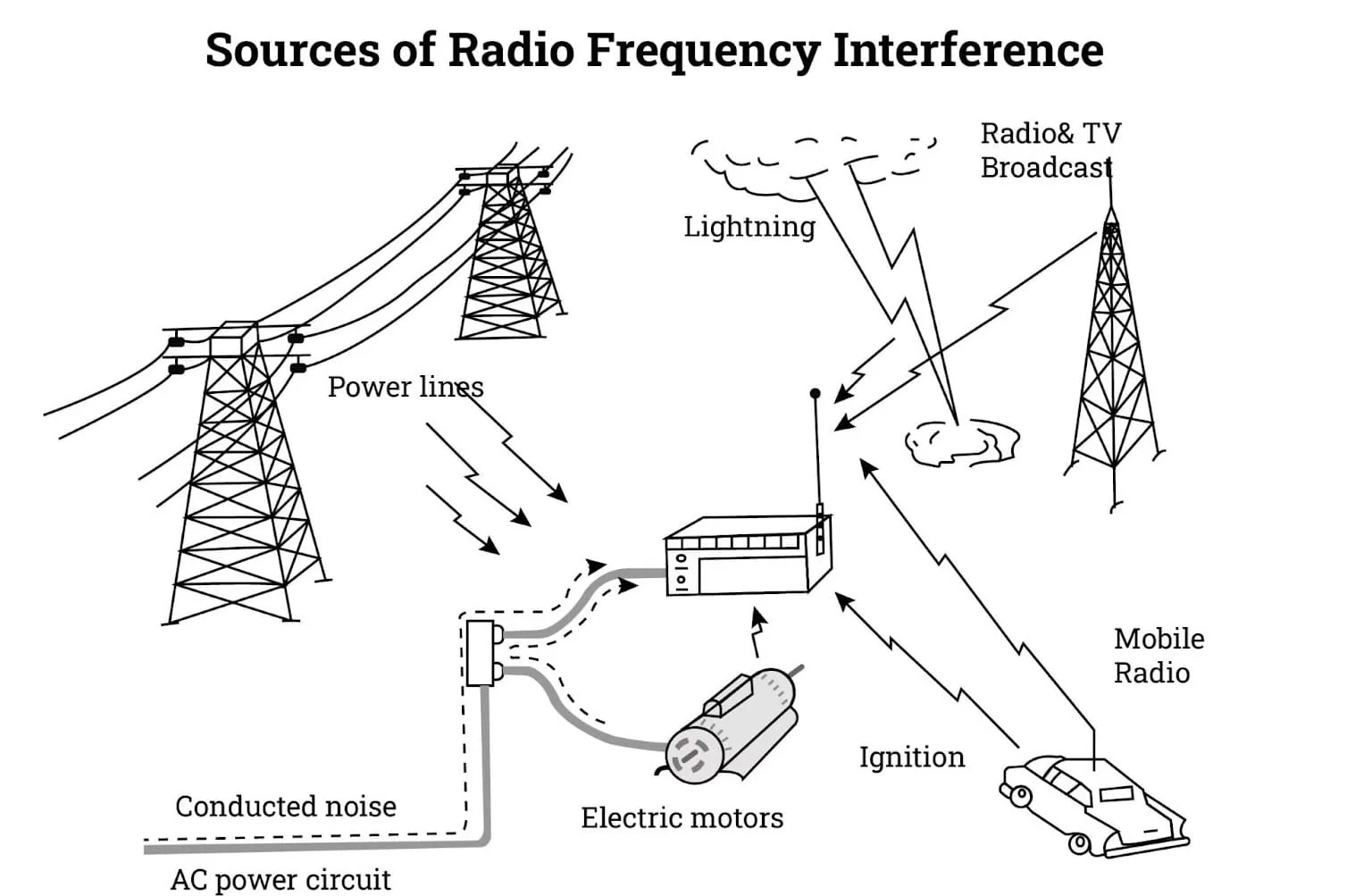
Identify Interference Sources
Your keypad communicates via radio signals that compete with household electronics. LED light bulbs, wireless security cameras, baby monitors, and even microwave ovens can disrupt communication. Notice if problems worsen during specific times of day or when certain appliances operate—this pattern confirms interference issues.
Range Optimization Techniques
- Reposition keypad closer to opener (maximum effective range is 50 feet)
- Avoid metal mounting surfaces that block radio signals
- Temporarily remove LED bulbs to test if they’re causing interference
- Check for new devices installed since last successful keypad use
- Clear signal path between keypad and opener motor unit
Quick field test: Remove the keypad from its mount and hold it directly beneath the opener motor. If it works consistently in this position, interference or range issues are confirmed.
Physical Damage Assessment

Weather Damage Indicators
Outdoor keypads endure constant environmental assaults. Cracked housing allows moisture infiltration causing internal corrosion, while UV exposure makes plastic brittle over time. Extreme temperature fluctuations affect electronic components, and winter ice formation can completely jam button mechanisms. Look for fogging inside the keypad cover as an early moisture warning sign.
Visual Inspection Checklist
- Housing cracks around edges or button areas allowing water entry
- Button responsiveness checking for mushy or stuck keys
- Cover alignment ensuring tight closure without gaps
- Mounting screws checking for looseness from weather exposure
- Moisture signs like corrosion marks or discoloration
Warning: Never spray water or cleaning solutions directly on your keypad. Moisture damage often requires complete replacement rather than repair.
PIN Code Recovery
Forgotten PIN Solutions
Most homeowners forget their PIN within 18-24 months of setup. Check these locations for original documentation:
– Opener manual stored in household filing system
– Motor unit stickers for factory default codes (often 07456 or 1234)
– Previous owner contact if you recently purchased the home
– Genie customer service (1-800-354-3643) with your unit’s serial number
Security PIN Best Practices
Create memorable yet secure codes using:
– Modified house numbers (add 1 to each digit)
– Significant dates with reversed month/day format
– Pattern-based codes tracing shapes on the keypad
– Temporary codes for service personnel (change immediately after use)
Advanced Diagnostics

LED Pattern Decoding
Your keypad communicates status through specific light patterns:
– Rapid blinking: Successfully entered programming mode
– Slow blinking: Weak signal or low battery warning
– Solid light: Code transmitted successfully
– No light: Battery failure or complete hardware malfunction
Expert insight: The sequence of LED flashes provides critical diagnostic information—count the flashes to identify specific error codes in your model’s manual.
Complete System Reset
When standard troubleshooting fails:
1. Remove battery for full 30 seconds to clear memory
2. Press any button to discharge residual power
3. Reinstall battery with fresh 9-volt
4. Reprogram from scratch using standard procedure
5. Test multiple times to confirm stability
Important: This factory reset erases all existing programming—you’ll need to reprogram both the keypad and any remotes afterward.
Professional Service Threshold
When DIY Ends
Contact Genie support when experiencing:
– Visible circuit board damage (burn marks, corrosion)
– Repeated programming failures after following all steps
– Physical housing damage preventing proper sealing
– Warranty concerns for units under 1 year old
– Complex system integration with smart home devices
Service Cost Expectations
- Diagnostic visit: $75-150
- Keypad replacement: $30-60 parts
- Programming service: $50-100 additional
- Emergency calls: Add 50% surcharge
Smart move: Check your warranty status online at geniecompany.com before paying for service—many issues are covered within the first year.
Prevention Maintenance
Monthly Testing Routine
Prevent future “Genie garage door keypad not working” emergencies by:
– Checking all buttons for consistent response
– Verifying PIN accuracy with multiple entries
– Observing LED brightness for early battery warnings
– Testing range limits from various positions
Annual Care Schedule
- Replace battery proactively every 12-18 months regardless of symptoms
- Clean housing with dry microfiber cloth (no liquids)
- Check mounting screws for tightness after winter
- Inspect weather seals for gaps or deterioration
- Update PIN if security concerns arise
Key Takeaway: Most Genie keypad failures stem from dead batteries (60%), lost programming (25%), or signal interference (10%). Start with battery replacement, then reprogramming, before investigating complex issues. Your keypad should respond within 5 minutes of following these steps—if not, hardware replacement may be necessary. Always maintain at least two alternative access methods to avoid being locked out when your Genie garage door keypad not working issue strikes unexpectedly. For current model compatibility and troubleshooting videos, visit Genie’s official support page where you can also check warranty status using your unit’s serial number.