How to Fix Door Keypad Lock Not Working
Your door keypad lock not working situation has you standing outside your home, pressing buttons frantically with no response. That familiar beep is silent, the lights won’t illuminate, and you’re locked out despite knowing your code by heart. This frustrating scenario affects thousands of homeowners monthly, but here’s the good news: 80% of keypad lock failures stem from just three fixable issues—dead batteries, bolt misalignment, or programming conflicts. Whether you own a Powerbolt 2, Aura, SmartCode 955, or 264 deadbolt, this guide delivers precise troubleshooting steps to get your electronic lock functioning again within minutes, not hours. You’ll learn exactly what to check first, how to diagnose model-specific quirks, and when to call for professional help—saving you time, stress, and unnecessary service calls.
Battery Failure Signs That Need Immediate Action
No Response? Check These Power Issues First
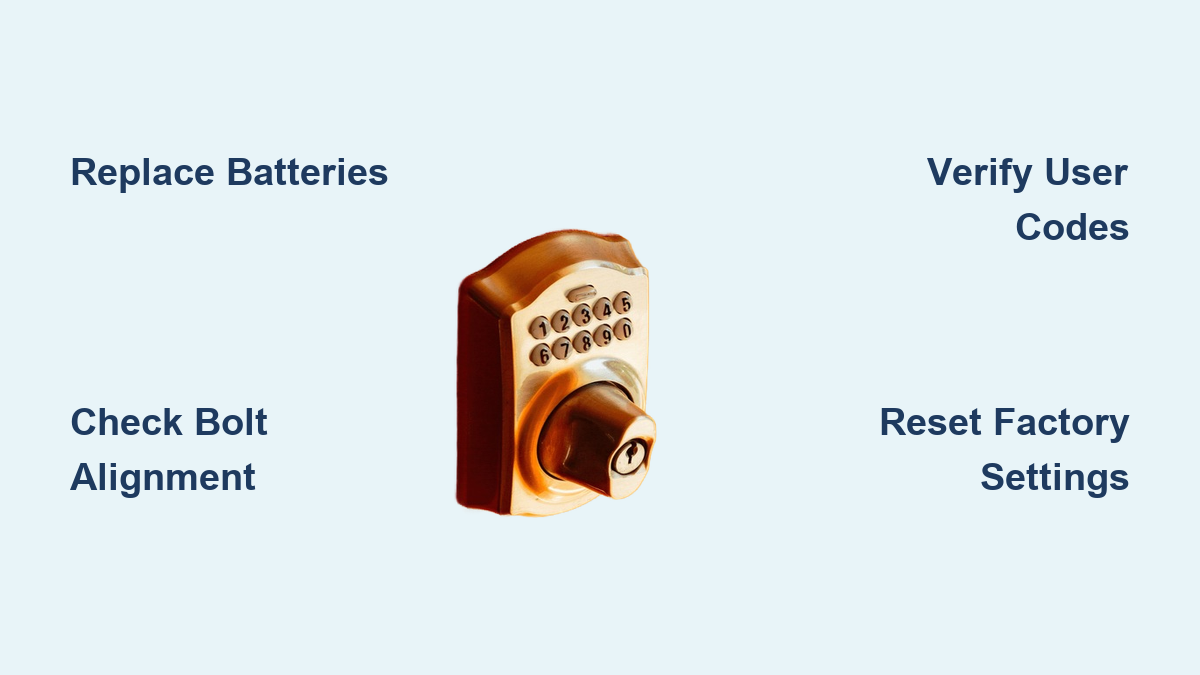
When your door keypad lock not working symptoms include complete silence and darkness, dead batteries are almost certainly the culprit. Powerbolt 2 models become completely unresponsive—no lights, no beeps, nothing happens when you press buttons. This isn’t a complex malfunction; it’s simply a power failure requiring immediate battery replacement. Never mix old and new batteries, as inconsistent voltage confuses the lock’s processor and causes intermittent failures. Replace all batteries simultaneously with fresh alkaline types—rechargeable or carbon-zinc batteries lack the stable power profile these electronic locks require.
Aura’s Smart Lockout Prevention Explained
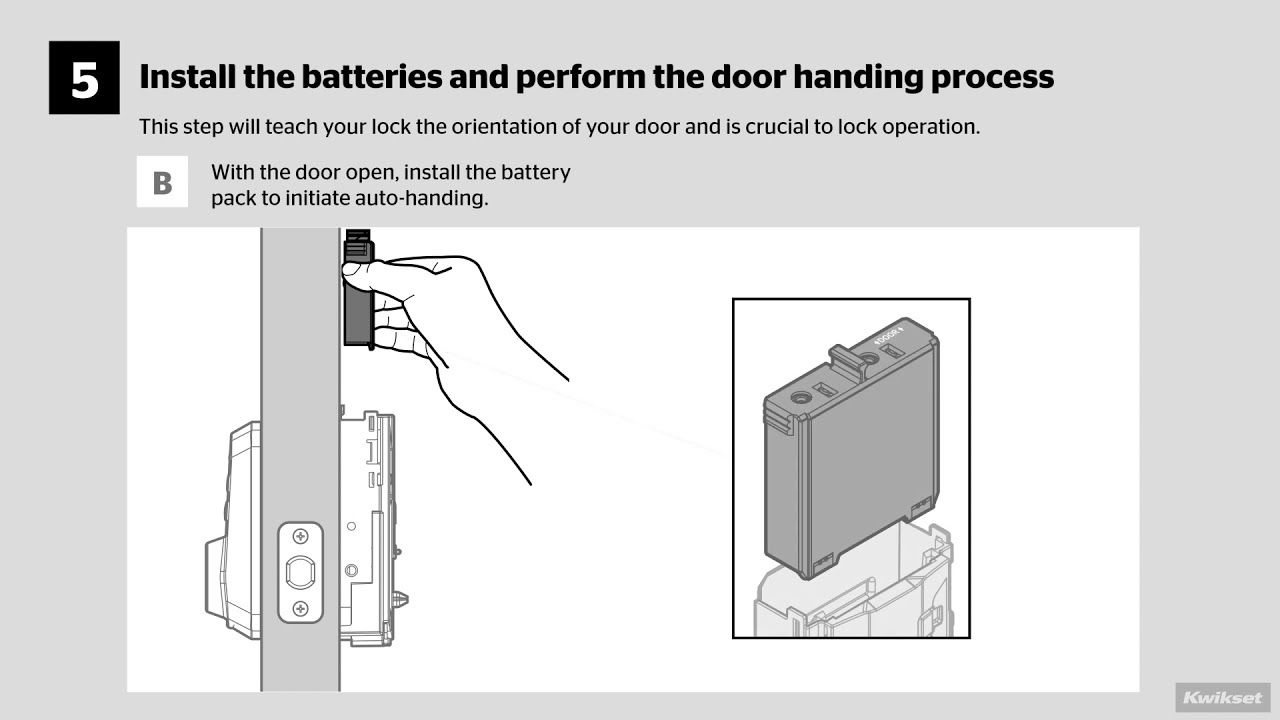
Your Aura deadbolt might appear to be malfunctioning when it actually works as designed. When battery levels drop too low, Aura intentionally refuses to lock the door as a safety feature to prevent accidental lockouts. This isn’t a defect—it’s your lock protecting you from being locked out with dead batteries. The moment you replace the batteries with quality alkaline types, normal operation resumes. If you’ve experienced this multiple times, set calendar reminders to replace batteries every 6-12 months before they reach critically low levels.
Battery Replacement Checklist That Actually Works
- Remove all old batteries completely before installing new ones—leftover batteries can cause connection issues
- Inspect cable connections behind the battery compartment for loose wiring harnesses that cause intermittent failures
- Verify correct polarity—while reversed batteries won’t damage your lock, they prevent operation entirely
- Test with name-brand alkaline batteries—off-brand or rechargeable batteries often lack the consistent voltage these locks require
Bolt Alignment Problems That Trigger False Errors
Minimum Depth Requirements You Must Verify
Your bolt hole must be at least 1 inch deep for proper operation. Shallow holes prevent full bolt extension, making the lock think something’s blocking it. To check depth, insert a screwdriver into the hole—if you hit wood before reaching 1 inch, you need to drill deeper. This seemingly minor detail causes more “door keypad lock not working” errors than most homeowners realize. Measure carefully with a ruler and deepen the hole if necessary using a standard drill bit.
Strike Plate Misalignment Warning Signs
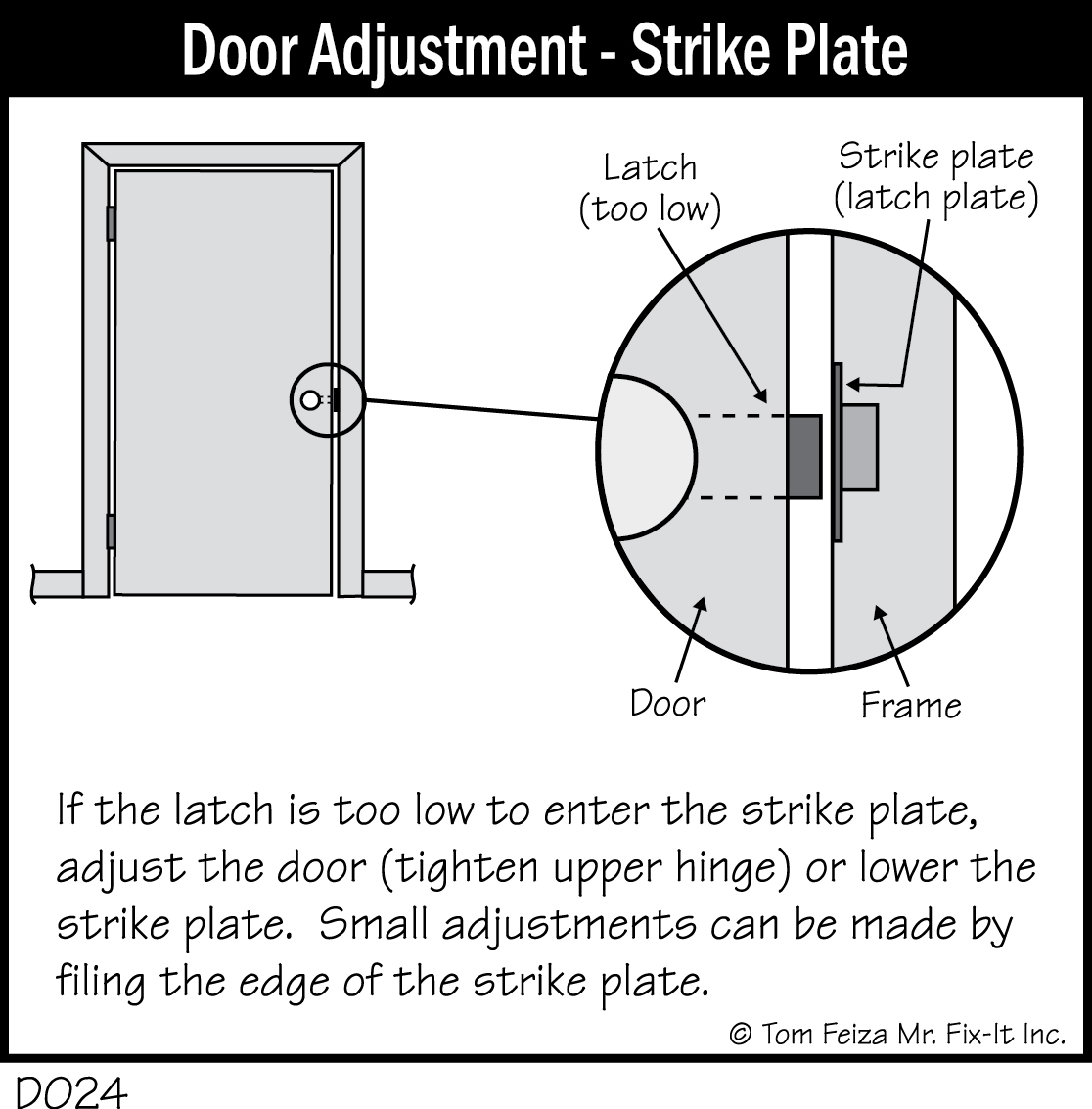
The deadbolt must align precisely with the strike plate opening—even 1/8 inch offset creates resistance that triggers the lock’s safety mechanism. Look for these telltale signs of misalignment:
– Visible rub marks on the strike plate indicating contact points
– Tight spots when manually extending the bolt using the interior thumb turn
– Gaps between door and frame at lock level that change with weather conditions
Seasonal humidity changes cause wood doors to swell or shrink, making strike plate adjustments necessary multiple times per year. Don’t ignore these subtle changes—they directly impact your keypad lock’s reliability.
Mounting Screw Tension Fixes That Restore Function
Overtightened exterior keypad screws bind the mechanism, making buttons unresponsive or causing erratic behavior. Loosen screws quarter-turn at a time while testing button responsiveness until you feel the difference—stiff buttons will suddenly click normally. This simple adjustment solves many “door keypad lock not working” issues without requiring battery replacement or reprogramming. Use a small screwdriver to make micro-adjustments until the keypad operates smoothly.
Programming Code Conflicts That Disable Keypad Function
User Code Requirements You Can’t Ignore
Your 264 deadbolt requires at least one active User Code to function properly. If all codes got accidentally deleted or disabled, the keypad won’t respond to any input—even if the batteries are fresh and mechanics work perfectly. Check your programming code documentation (usually found on page 9 of your manual) to verify your codes remain active. Without at least one enabled User Code, your electronic lock reverts to manual-only operation via physical key.
Programming Code Security Feature Explained
SmartCode 955 disables the physical programming button when a master programming code is active—a security feature that often confuses users. This prevents unauthorized code changes but makes it seem like your door keypad lock not working issue is more serious than it is. Instead of pressing the physical button, use your programming code to add or delete User Codes through the keypad interface. This security protocol protects your home while requiring a different approach to code management.
Factory Reset Procedure That Clears Code Conflicts
When codes get hopelessly confused, restore factory defaults with this precise sequence:
- Remove all batteries for exactly 30 seconds
- Hold the program button while reinstalling fresh batteries
- Release the button when you hear 3 confirming beeps
- Reprogram all User Codes from scratch using your manual
This process clears all existing codes and returns your lock to its initial setup state. Write down your new programming code immediately—technical support cannot retrieve lost codes for security reasons.
Model-Specific Quirks That Aren’t Actually Malfunctions
SmartCode 955 Emergency Exit Feature
The interior lever allows exit without keypad interaction—this is intentional for emergencies, not a malfunction. Your keypad still controls exterior locking normally, but the interior side prioritizes quick escape. Don’t mistake this safety feature for a “door keypad lock not working” problem. Test exterior locking separately to verify proper function.
264 Deadbolt Unlock Failures Requiring Professional Help
If the Kwikset button locks successfully but User Codes won’t unlock, immediate key override gets you inside. This specific failure pattern indicates an internal mechanism problem requiring professional attention. Contact technical support rather than continuing to troubleshoot—this isn’t a user-fixable issue and attempting further repairs could worsen the problem.
Aura Re-Handing Fixes for Silent Operation
Improper handing causes audible operation without actual locking—the bolt appears to move but doesn’t engage. This common Aura issue stems from incorrect initial setup. Visit the Aura Support Page for the manual re-handing procedure—it’s a 30-second fix that solves 90% of Aura alignment issues. This simple adjustment often gets dismissed as a serious malfunction when it’s actually an easy correction.
Quick Visual Inspection Steps Before Calling for Help
First 60-Second Diagnostic Check
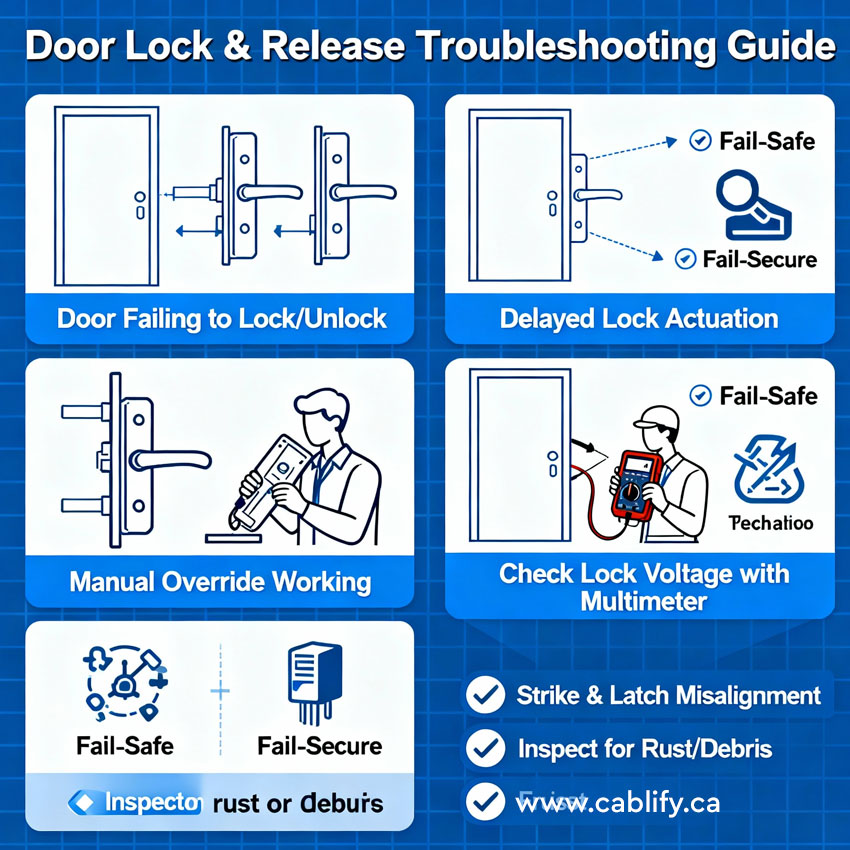
Before panicking about your door keypad lock not working, perform this rapid assessment:
– Check battery status—look for dim lights or no response
– Test bolt extension—manually operate to verify smooth movement
– Examine door alignment—check if door closes without resistance
– Press each button—feel for sticking or unresponsive keys
This quick check identifies the majority of issues. Keep your physical key accessible—when electronic functions fail, the key provides immediate access while you troubleshoot. This isn’t a defeat; it’s your backup system working as designed.
Prevent Future Failures With These Simple Habits
Monthly Maintenance Routine That Saves Headaches
- Test all User Codes monthly to catch deactivation early
- Check battery status indicators if your model has them
- Clean keypad surface with a dry microfiber cloth—never use liquids
- Lubricate bolt mechanism annually with graphite powder, not oil
Battery Replacement Schedule That Prevents 80% of Failures
Replace batteries every 6-12 months regardless of apparent function. Low batteries cause most “door keypad lock not working” emergencies, especially during extreme weather when battery performance drops. Mark your calendar when you install fresh batteries and set a reminder for six months later. This simple habit prevents most frustrating lockouts.
Strike Plate Adjustments for Seasonal Changes
Seasonal humidity changes shift door alignment significantly. If your lock works sometimes but not others, adjust the strike plate position slightly—most locks need seasonal tweaks. Loosen the strike plate screws, tap it upward or downward with a hammer and punch, then retighten. This minor adjustment maintains perfect alignment year-round.
When to Call Support Instead of Troubleshooting
Mechanical Issues Requiring Professional Help
If your physical key won’t turn smoothly, the issue isn’t electronic—it’s mechanical. Call a locksmith for door/frame alignment issues that affect bolt operation. These problems won’t resolve through battery replacement or reprogramming.
Internal Mechanism Failure Signs
When buttons respond normally but the bolt won’t move, internal gears may be stripped. This requires manufacturer warranty service or professional replacement. Continuing to force operation will worsen the damage.
Key Takeaway: Most door keypad lock not working failures trace back to dead batteries, misaligned bolts, or disabled User Codes. Start with fresh batteries, check your bolt alignment, and verify your programming codes. Keep your physical key handy during troubleshooting, and test each fix immediately. Regular battery replacement prevents 80% of these frustrating lockouts—make it part of your seasonal home maintenance routine. When in doubt, consult your specific model’s support resources before assuming the worst; what seems like a major malfunction is often a simple fix you can handle yourself.