How to Program Schlage Deadbolt Keypad
You fumble with groceries at your front door, only to realize your new Schlage keypad deadbolt won’t respond. Without proper programming, that sleek metal cylinder becomes nothing more than an expensive doorstop. Whether you’re setting up access for family members, tenants, or service workers, mastering how to program a Schlage deadbolt keypad transforms your lock from frustrating to foolproof in minutes.
Unlike complicated smart locks requiring apps or Wi-Fi, Schlage’s keypad models use straightforward button sequences anyone can learn. No technical expertise needed—just fresh batteries and this guide. You’ll gain complete control over user access, auto-lock settings, and security modes while avoiding the most common programming pitfalls that leave homeowners locked out.
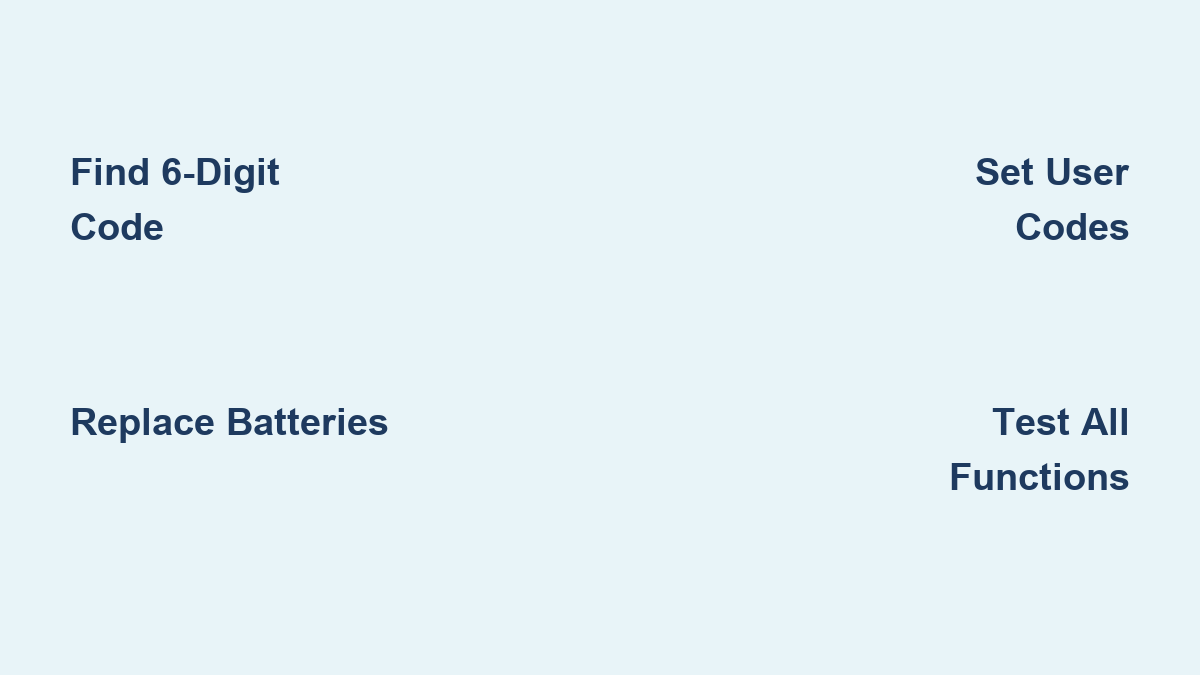
Locate Your 6-Digit Programming Code Immediately
Your Schlage deadbolt’s master key to all programming functions is the unique 6-digit Programming Code. Without this number, you cannot add users, change settings, or recover from mistakes. Check these three spots before installing your lock:
- Bright yellow sticker on the back of the keypad assembly
- White sticker tucked inside your installation manual
- Battery compartment interior (on newer models)
Pro tip: Snap a photo of this code and save it in your phone’s password vault before mounting the lock. Once installed, accessing these stickers requires completely disassembling the deadbolt—a 20-minute headache you’ll want to avoid. If you’ve already installed the lock and lost the code, remove the interior assembly to check behind the keypad.
Essential Prep Steps Before Programming
Programming fails 70% of the time due to skipped preparation. Avoid frustration with these non-negotiable steps:
- Install 4 brand-new AA alkaline batteries – Never mix old and new batteries
- Keep your door fully open – Programming locks up if door closes
- Verify manual operation – Test thumb-turn rotates smoothly
- Clean keypad contacts – Wipe buttons with alcohol swab if sticky
Critical warning: Weak batteries cause silent programming corruption. Even if your lock operates normally, replace all batteries before programming. You’ll recognize low power by red LED flashes during code entry—a sure sign settings won’t save properly.
Change Default Programming Code First
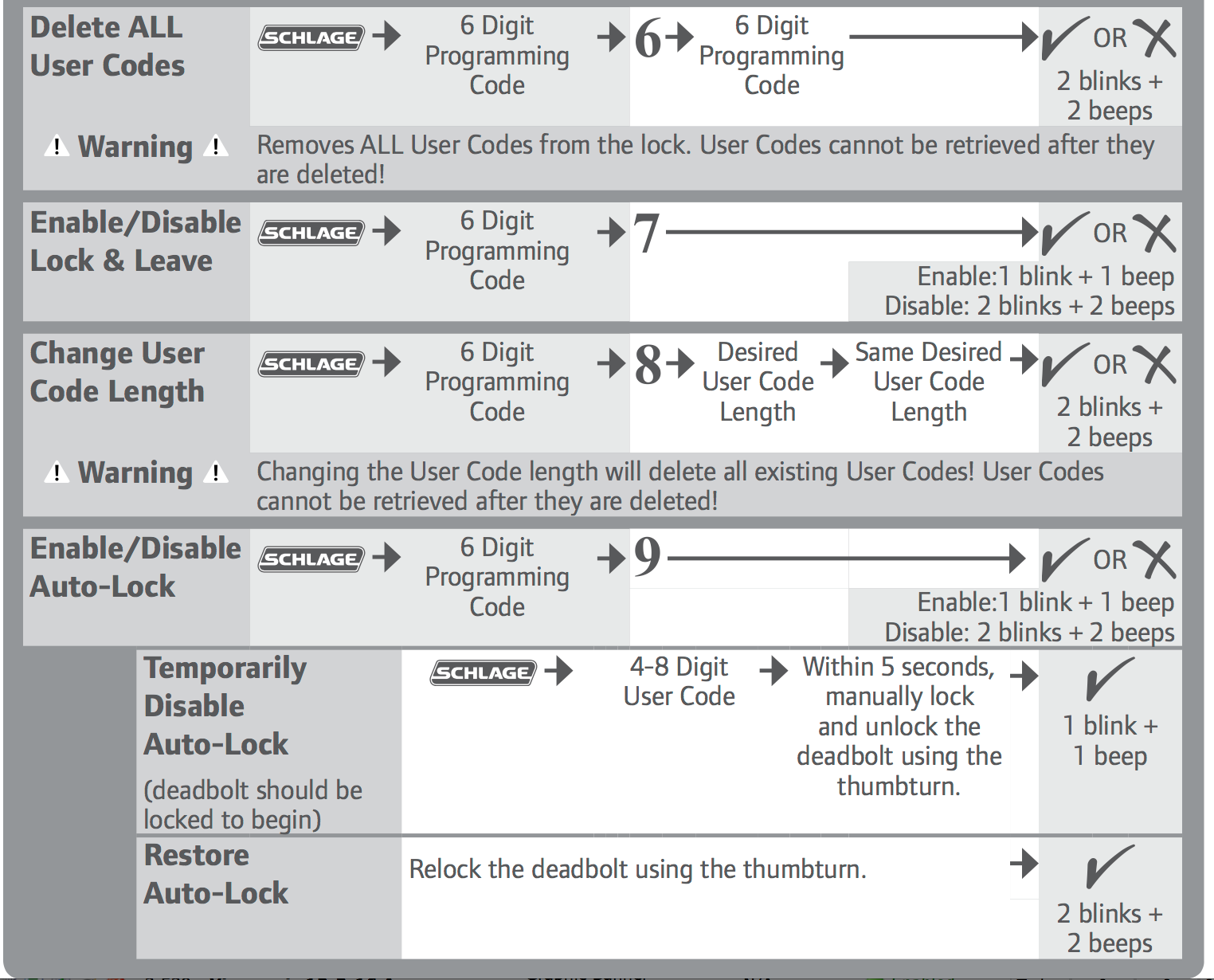
Your Schlage arrives with a factory-set Programming Code visible on installation stickers. Leaving this unchanged invites unauthorized access—especially if installers kept copies. Here’s how to secure it:
- Tap Schlage button once (hear confirmation click)
- Enter original 6-digit Programming Code
- Press 3, then Schlage button
- Input new 6-digit code (e.g., “557821”)
- Re-enter same new code
- Wait for green checkmark + single beep
Don’t rush step 6! If the green light doesn’t appear within 5 seconds, restart the sequence. Many users accidentally skip confirmation, thinking their new code saved when it didn’t. Store this updated code separately from user codes—treat it like your house keys.
Add Family User Codes in 30 Seconds Each
Your Schlage stores up to 19 unique 4-digit user codes. Assign personalized access for everyone from teenagers to dog walkers with this sequence:
For Your First User (e.g., Spouse)
- Press Schlage button
- Enter 6-digit Programming Code
- Press 1, then Schlage button
- Enter new 4-digit code (e.g., “2468”)
- Re-enter same code
- Confirm green light
For Subsequent Users (e.g., Teenager)
Repeat the process but use memorable yet secure combinations:
– Avoid: “1234”, “0000”, or birth years visible on social media
– Use: Graduation years (“2028”) or reversed addresses (“8751”)
– For contractors: Temporary codes like “9999” you’ll delete later
Security note: Delete the two default user codes (1234 and 0000) immediately after adding your first custom code. These factory presets are widely known security risks.
Delete Compromised Codes in 20 Seconds

When housekeepers leave or teenagers move out, remove their access instantly. No need to reprogram everything:
Remove Single User Code
- Press Schlage button
- Enter Programming Code
- Press 2, then Schlage button
- Enter 4-digit code to delete
- Re-enter same code
- Confirm green light
Erase All User Codes (Keep Programming Code)
- Press Schlage button
- Enter Programming Code
- Press 3, then Schlage button
- Press 7, then Schlage button
- Press 1, then Schlage button
- Wait for confirmation beep
Pro move: Do this after tenant turnover instead of resetting the entire lock. Your Programming Code stays intact while all user access gets wiped clean.
Master Auto-Lock Timing for Your Household
Schlage’s auto-lock feature secures your door automatically after a set delay. Tailor it to your family’s rhythm:
Enable Auto-Lock
- Press Schlage button
- Enter Programming Code
- Press 9, then Schlage button
- Press 1 (enable), then Schlage button
Set Custom Delay (1-99 Seconds)
- Press Schlage button
- Enter Programming Code
- Press 5, then Schlage button
- Enter seconds (try “30” for busy homes)
- Press Schlage button
Real-world tip: Set 45-second delays if you have kids carrying backpacks. Test by closing the door while timing with your phone—adjust until it matches your household flow.
Activate Vacation Mode Before Trips
Leaving for vacation? This feature disables all user codes except your Programming Code—preventing unauthorized access even if someone steals a user code:
- Press Schlage button
- Enter Programming Code
- Press 4, then Schlage button
- Press 1 (enable vacation mode)
- Press Schlage button
To disable upon return: Repeat steps 1-3, then press 0 instead of 1 in step 4. You’ll hear two confirmation beeps when normal operation resumes.
Silence Beepers for Late-Night Arrivals
Annoyed by loud beeps at 2 AM? Disable audible feedback while keeping security:
- Press Schlage button
- Enter Programming Code
- Press 6, then Schlage button
- Press 0 (off), then Schlage button
Important: Confirmation beeps still sound during programming sequences—this only silences regular lock/unlock noises. Test by entering a user code after dark to verify quiet operation.
Create One-Time Guest Codes for Deliveries
Perfect for plumbers or dog sitters—these codes self-destruct after single use:
- Press Schlage button
- Enter Programming Code
- Press 8, then Schlage button
- Enter 4-digit code (e.g., “5555”)
- Re-enter same code
- Confirm green light
Time-saver: Use repeating digits like “4444” for easy verbal sharing. The lock automatically deletes it after first use—no need to remember cleanup.
Fix Programming Failures in 60 Seconds
Stuck in programming limbo? Solve these common issues:
Programming Code Rejected
- Battery check: Replace all 4 batteries immediately
- Door position: Ensure door remains fully open
- Timing: Wait 5 full seconds between button presses
- Reset: Remove batteries for 30 seconds, then retry
User Code Doesn’t Work
- Vacation mode: Disable it (press Schlage + Programming Code + 4 + 0)
- Code length: Verify exactly 4 digits (no 3 or 5-digit codes)
- Confirmation: Replay programming sequence listening for beeps
- Lockout: Wait 30 seconds after 4 failed attempts
Emergency shortcut: Hold Schlage button while reinstalling batteries for 10 seconds to trigger factory reset—use only as last resort.
Test Every Code Before Closing the Door
Never skip verification—test all functions while the door remains accessible:
- User codes: Unlock from exterior with each 4-digit code
- Programming Code: Confirm it overrides all user codes
- Auto-lock: Time delay with stopwatch after closing
- Vacation mode: Verify user codes fail during activation
- One-time codes: Test self-deletion after single use
Pro checklist: Document working codes in your secure password manager. Note which codes control specific features (e.g., “Code 2345 = auto-lock disabled”).
Monthly Maintenance That Prevents Lockouts
Spend 5 minutes monthly to avoid 2-hour locksmith calls:
- Battery check: Replace every 6 months (even if working)
- Code audit: Delete unused temporary codes
- Function test: Verify all user codes operate
- Sticker backup: Re-photograph Programming Code annually
Critical habit: Store your Programming Code separately from user codes. Keep it in your wallet or cloud vault—not taped to the lock battery cover where thieves might find it. Your Schlage deadbolt is only as secure as your code management discipline. Program thoughtfully, test thoroughly, and you’ll enjoy keyless convenience for years.