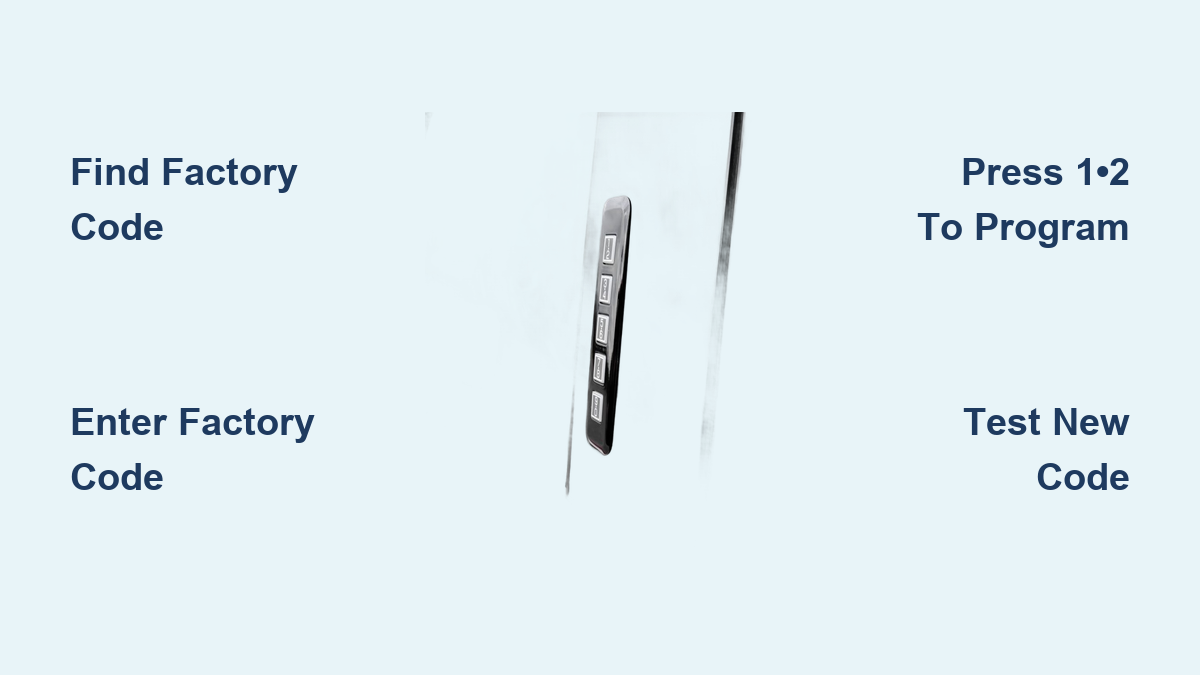
Ford Keypad Programming Guide
You’re standing outside your Ford, keys safely locked inside while you’re stuck on the driveway. It’s happened to 1 in 7 Ford owners according to service data, but there’s a simple solution right on your driver’s door pillar. Ford’s SecuriCode keypad system provides instant access when programmed correctly, yet most owners never learn how to use this built-in feature. Whether you just bought a used Ford or need to add codes for family members, mastering ford keypad programming takes less time than calling a locksmith and costs absolutely nothing.
With the right approach, you can program your Ford keypad in under five minutes regardless of model year. This guide cuts through confusing manuals to deliver only the precise steps you need. No more panic when keys disappear inside the cabin—your fingertips become the key to instant access.
Locate Your Factory Code Before Programming

Your factory code is the master key to ford keypad programming—without it, you’re locked out of the system entirely. Ford tucks this critical 5-digit code in multiple locations depending on your vehicle’s age.
Check these spots first before assuming you need professional help:
– Owner’s manual packet (look for a small wallet-sized card)
– White barcode sticker inside the glove compartment
– Original purchase paperwork from the dealership
– Spare tire well or trunk lid on older models
When documentation fails, retrieve the code directly from your vehicle:
1. Remove the lower dash panel on the passenger side using trim tools
2. Locate the Smart Junction Box (SJB)—a black rectangular module
3. Find the white barcode label showing a 5-digit code starting with a letter
4. Pro tip: Shine a flashlight at a 45-degree angle for better visibility
Standard Ford Keypad Programming (2000-2010 Models)
Follow this exact sequence for classic Ford keypad systems found on popular models like the F-150, Explorer, and Mustang from this era.
Critical preparation steps:
– Close all vehicle doors completely
– Remove key from ignition
– Engage parking brake and ensure transmission is in park
Programming your first personal code:
1. Enter the factory 5-digit code on the keypad
2. Press and hold 1•2 buttons for exactly two seconds
3. Within 5 seconds, enter your new 5-digit personal code
4. Press 1•2 again to store the code
5. Confirm success when doors lock then unlock once
Adding additional personal codes:
– Second code: Repeat the process using 3•4 buttons instead of 1•2
– Third code: Use the 9•0 buttons following identical steps
– Warning: Exceeding three codes requires deleting existing ones first
Enhanced Ford Keypad Programming (2011-Newer Models)
Newer Fords use an upgraded system with extra security features requiring slightly different ford keypad programming steps.
Entering programming mode correctly:
1. Input your factory code on the keypad
2. Press and hold 1•2 and 3•4 simultaneously for 3 seconds
3. Listen for confirmation—a single horn chirp means programming mode is active
Efficient personal code programming:
1. Enter your new 5-digit code within 10 seconds of activation
2. Press 1•2 to store as primary personal code
3. Repeat for additional codes using 3•4 for secondary, 9•0 for tertiary
4. Exit programming by waiting 10 seconds or pressing 7•8 and 9•0 together
Ford Keypad Programming Without Factory Code

Lost your factory code? Don’t immediately call the dealer—several DIY recovery options exist before spending $75+ on professional services.
Smart Junction Box code retrieval:
– Remove passenger side lower dash panel using plastic trim tools
– Locate the black Smart Junction Box behind the glove compartment
– Identify the barcode label showing your 5-digit factory code
– Critical tip: The code always starts with a letter followed by four numbers
Alternative recovery methods:
– OBD-II scanners with Ford-specific software can extract the factory code
– Automotive locksmiths typically charge $50-100 for code retrieval
– Dealer services use IDS diagnostic systems to access the code directly
Troubleshoot Ford Keypad Programming Failures

Your keypad isn’t broken—most issues stem from simple oversights during ford keypad programming.
No response during programming?
– Check fuse #18 (20A) in the passenger compartment fuse box
– Verify connections behind the B-pillar where wiring attaches
– Confirm all doors are closed—even the trunk must be latched
– Test power supply with a multimeter for consistent 12V
Three horn chirps after code entry means:
– Wrong factory code—double-check retrieval method
– Time expired—you have only 5 seconds between steps
– Button stuck—clean with electrical contact cleaner
– System reset needed—disconnect battery for 5 minutes
Model-Specific Ford Keypad Programming Tips
Each Ford model has unique programming quirks that can frustrate even experienced DIYers.
F-150 and Super Duty (2015-2023):
– Mirror-mounted keypads require pressing 1•2 twice within 5 seconds
– Supports up to 8 codes instead of the standard 3
– Pro tip: Program temporary codes for contractors with expiration dates
Mustang (2015-2023):
– Programming requires ignition in accessory position
– Door handle integration means code entry feels different
– Rolling code security prevents unauthorized scanning
Explorer (2011-2019):
– Capacitive touch buttons need firm finger pressure
– Must keep driver’s door open during programming sequence
– SYNC integration allows phone-triggered code management
Ford Keypad Security Best Practices
Protect your vehicle with these critical security measures after completing ford keypad programming.
Code selection rules that prevent break-ins:
– Avoid sequences like 12345 or repeated numbers like 55555
– Skip personal dates—birth years are the first guess for thieves
– Change codes every 6 months—especially if shared with others
– Never write codes on paper stored near the vehicle
Built-in security features to leverage:
– Auto-disable function locks the system for 60 seconds after 5 failed attempts
– Tamper logging records unauthorized access attempts in vehicle memory
– Permanent factory code ensures you always have backup access
– Independent operation works even when key fobs are dead
Essential Keypad Maintenance After Programming
Extend your keypad’s lifespan with these simple maintenance steps to keep your ford keypad programming functional for years.
Monthly maintenance routine:
– Clean gently with mild soap and water—avoid harsh chemicals
– Apply UV protectant to prevent sun damage to button labels
– Test all buttons to ensure proper illumination and response
– Check mounting hardware for looseness caused by door slamming
Weather protection strategies:
– Never pressure wash directly on the keypad area
– In freezing temperatures, warm buttons with your hand before use
– Avoid de-icing products that can damage button surfaces
– Wipe moisture regularly to prevent internal corrosion
Key Takeaway: Ford keypad programming solves the most common lockout scenario drivers face—keys locked inside the vehicle. With your factory code secured and personal codes programmed, you’ll never need a locksmith for this preventable problem again. The system works reliably for years when maintained properly, providing instant access with just five finger taps.
Critical Next Step: Locate your factory code today—don’t wait until you’re locked out. Program at least one personal code you’ll remember, then test it immediately. Keep the factory code in your wallet or phone notes, but never inside the vehicle itself. Your Ford’s keypad isn’t just a backup—it’s your most reliable key when programmed correctly.