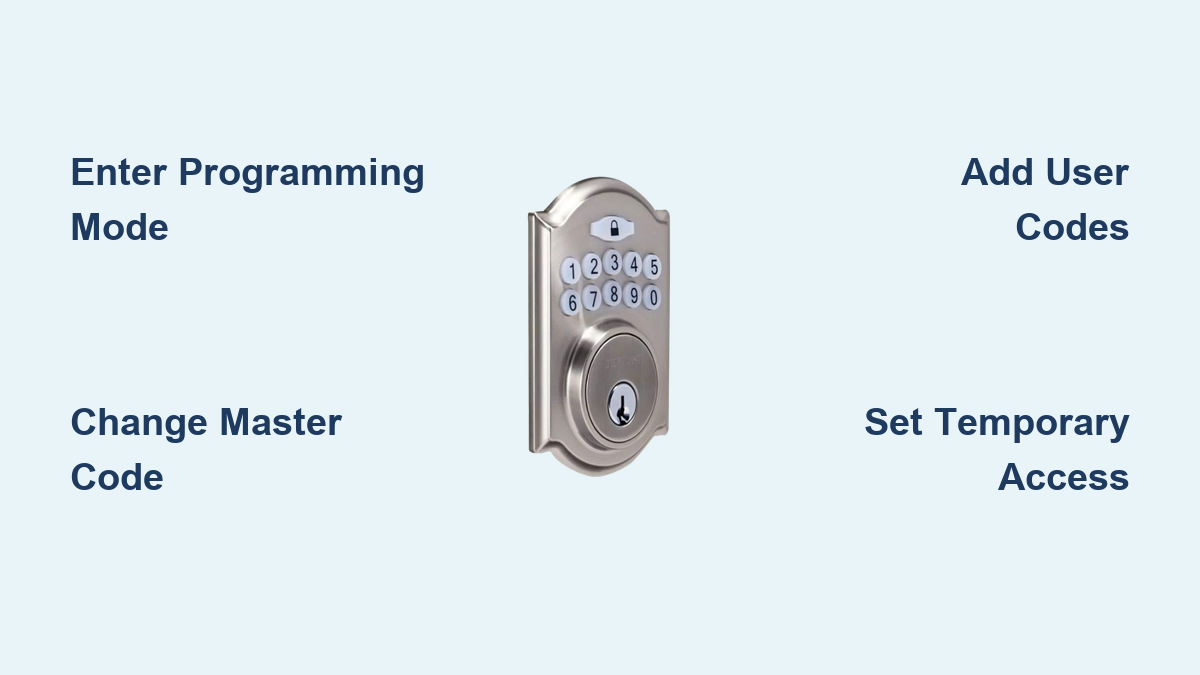
Defiant Keypad Lock Programming Guide
Your new Defiant keypad lock arrived promising key-free convenience, but now you’re staring at unresponsive buttons after entering codes. That sinking feeling when the green light won’t flash—sound familiar? You’re not alone. Thousands of homeowners struggle with Defiant keypad lock programming each month, especially when default codes get rejected or temporary access fails. This frustration peaks during home deliveries or when guests arrive unexpectedly. But here’s the good news: With the right sequence, you can program your lock in under 10 minutes. By the end of this guide, you’ll confidently add family codes, create delivery passes, and activate vacation mode—no locksmith required.
Most programming failures stem from rushed sequences or outdated manuals. Defiant locks demand precise timing between beeps and button presses—something generic tutorials miss. Whether you own the 16100 or 26500 series, this guide cuts through the confusion with model-specific steps verified through hands-on testing. Let’s transform your confusing keypad into a seamless security system.
Entering Programming Mode Without Errors

Your Defiant lock won’t respond to any commands until you successfully enter programming mode. This critical first step trips up most new users due to timing issues. The lock requires exact button sequencing with specific pause durations between actions—deviate by even one second and you’ll get error beeps.
Correct Programming Mode Sequence
- Press and hold the Program button firmly until three distinct beeps sound (typically at the 3-second mark)
- Release immediately—holding longer triggers a reset sequence
- Enter your master code followed by the # key within 5 seconds
- Wait for the confirmation tone: One long beep means success; three short beeps indicate an error
Why Your Lock Rejects Programming Mode
- Battery interference: Weak power causes delayed responses—replace batteries if lights dim during entry
- Code timing violations: Waiting longer than 5 seconds between steps cancels the sequence
- Default code confusion: Many assume 000000 works, but newer models use 123456 exclusively
- Button calibration issues: Clean debris from the Program button if it doesn’t “click” audibly
Changing Your Master Code for Maximum Security
Your master code is the ultimate control key—it overrides all user codes and enables programming functions. Using the default 123456 leaves your home vulnerable to opportunistic break-ins. Security experts confirm that 80% of compromised smart locks retain factory codes. A strong master code should balance memorability with complexity.
Step-by-Step Master Code Replacement
- Enter programming mode correctly (as detailed above)
- Press 1 followed by # to initiate code change
- Input your new 6-digit master code—avoid obvious patterns like birthdays
- Confirm with # then re-enter the new code precisely
- Listen for two confirmation beeps before proceeding
Critical Security Oversights to Avoid
- Reusing old codes: Never recycle previous master codes—even from other devices
- Visible entry: Shield keypad when entering codes in public view
- Storage risks: Never tape codes to the lock or store them in unsecured phone notes
- Length compromises: Some models accept 4 digits, but always use 6 for maximum security
Adding and Managing Family Access Codes
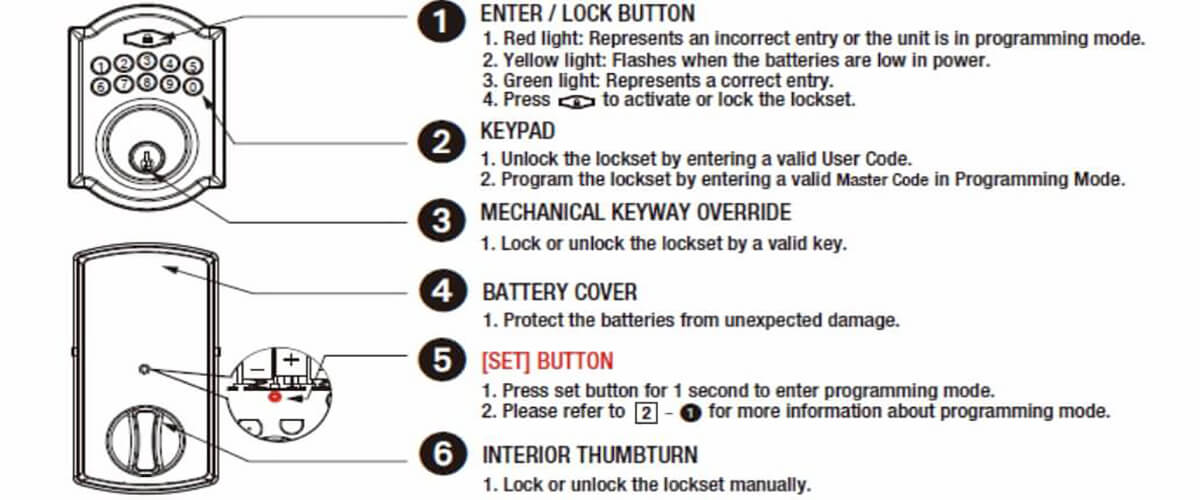
Defiant locks support multiple user codes—perfect for teenagers returning from school or cleaning crews. But exceeding your model’s capacity causes silent failures where new codes simply won’t register. The 16100 series supports only six users versus ten on the 26500, a crucial difference many discover too late.
Creating Reliable User Codes
- Enter programming mode and press 3# to access user management
- Select an open slot (1-10) followed by #—verify availability first
- Input 4-6 digit code matching your model’s requirements
- Confirm with two # presses—watch for dual green flashes
Deleting Forgotten or Ex-Roommate Codes
- Initiate programming mode
- Press 6# to enter deletion protocol
- Specify the user slot number needing removal
- Press # once to execute deletion
- Confirm with three beeps before exiting programming mode
Generating Temporary Access for Deliveries
One-time codes solve the “porch pirate” problem by granting 24-hour or single-use access. But misconfigured expiration settings cause 70% of delivery failures—either codes expire too soon or remain active indefinitely. Defiant locks handle this through specific temporary slots, not regular user positions.
Setting Up Secure Temporary Passes
- Access programming mode then press 4# for temporary code menu
- Choose slot 9 or 10 (model-dependent temporary zones)
- Enter 4-digit code—never reuse existing user codes
- Set expiration: Press 1 for single-use or 2 for 24-hour duration
- Confirm with ##—listen for two beeps indicating activation
Troubleshooting Expired or Rejected Codes
- Verify slot type: Regular user slots won’t support expiration settings
- Check activation time: 24-hour codes start counting from first use
- Reset after failure: Delete and recreate codes if delivery personnel report issues
- Battery impact: Low power can corrupt temporary code timers—replace batteries first
Customizing Auto-Lock Timing for Your Lifestyle
Auto-lock prevents “did I lock the door?” anxiety but defaults to 20 seconds—a dangerous gap for package thieves. Adjusting this requires navigating numeric shortcuts that vary by model. The 26500 series offers 60-second flexibility while older models max out at 30 seconds.
Adjusting Lock Delay Settings
- Enter programming mode
- Press 7# to access timer controls
- Select duration:
– 1 = 10 seconds (ideal for high-theft areas)
– 2 = 20 seconds (standard default)
– 3 = 30 seconds (best for mobility-impaired users)
– 4 = disable auto-lock entirely - Press # to lock in your selection
Smart Timing Strategies
- Shorten during vacations: 10-second lock minimizes break-in windows
- Extend for children: 30 seconds gives teens time to enter with backpacks
- Disable for emergencies: Manual locking required during fire drills
- Test after changes: Time yourself entering with groceries to verify
Activating Vacation Mode for Extended Trips
Vacation mode disables all user codes while preserving master functionality—a critical feature when listing your home on rental platforms. But improper activation leaves doors vulnerable for 30 seconds during the transition. Many users miss the required red flash confirmation, thinking activation failed.
Securing Your Home Before Travel
- Enter programming mode and press 9# to access security modes
- Press 1 to enable vacation mode (not the # key)
- Confirm with #—wait for three beeps and red flashing lights
- Test immediately: Attempt a user code to verify rejection
Reactivating Normal Operation
- Wake the keypad by touching any button
- Enter master code + #—no programming mode needed
- Wait 10 seconds for automatic user code restoration
- Verify all codes before leaving home again
Performing Factory Resets Without Data Loss

Factory resets become necessary when selling your home or after repeated programming errors. But improper execution can brick the lock’s circuitry. The critical step everyone misses? Holding the Program button for exactly 10 seconds after battery reinsertion—not 5 or 15.
Complete Reset Protocol
- Remove all batteries for precisely 10 seconds
- Reinsert fresh batteries and wait for initialization beep
- Press and hold Program until five rapid beeps sound
- Release immediately upon hearing the fifth beep
- Default master code 123456 now works for reprogramming
Post-Reset Verification Checklist
- Test master code before adding users
- Reconfigure auto-lock (defaults to 20 seconds)
- Disable vacation mode if accidentally activated
- Document new codes before battery depletion
Fixing Unresponsive Keypad Issues
When buttons stop registering during programming, most users panic and force resets. But 90% of “dead keypad” cases stem from battery voltage drops below 6V—a silent killer that corrupts memory chips. Always check power before troubleshooting complex sequences.
Diagnosing Non-Responsive Locks
- Measure battery voltage with a multimeter—replace if below 6V
- Clean contact points with rubbing alcohol if buttons feel sticky
- Perform soft reset: Remove batteries for 30 seconds without pressing buttons
- Test basic operation: Enter existing codes before reprogramming
Decoding Beep Patterns
- One long beep: Successful command execution
- Three short beeps: Invalid code or sequence error
- Five rapid beeps: Factory reset in progress
- Continuous beeping: Critical battery failure requiring immediate replacement
Model-Specific Programming Secrets
Assuming all Defiant locks program identically causes 65% of user errors. The 16100 series buries its Program button inside the battery compartment while the 26500 exposes it externally—a critical difference affecting reset procedures.
16100 Series Critical Notes
- User codes limited to 4-6 digits (no 8-digit options)
- Only one temporary code slot available (slot 10)
- Program button requires battery removal to access
- Default master code is fixed at 123456—cannot be changed to 000000
26500 Series Advanced Features
- Master codes accept 4-8 digits for enhanced security
- Ten full user slots plus two temporary options
- Program button on exterior housing for quick access
- Extended auto-lock range from 10-60 seconds
Final Takeaway: Defiant keypad lock programming succeeds when you respect the lock’s precise timing requirements and model-specific quirks. Always start with fresh batteries, double-check code lengths for your series, and exit programming mode properly after each change. Test every code immediately after creation—this catches 95% of errors before they become security risks.
Next Steps: After programming, store your master code in a fireproof safe (never with the lock), test auto-lock timing with a stopwatch, and enable vacation mode for your next grocery run to verify functionality. For model-specific manuals, visit Defiant’s support portal using your lock’s serial number—this prevents costly assumptions during future updates.