How to Use Eufy Keypad: Quick Setup Guide
Your eufy keypad should be the convenient control center for your home security system, but without proper guidance, it can become a source of frustration rather than peace of mind. Many users struggle with basic functions simply because they don’t know where to find reliable information. This guide cuts through the confusion by focusing on what actually works—connecting you with the right resources to master your eufy keypad functionality from day one.
Unlike generic tutorials that make assumptions about your specific model, this guide sticks to verified information directly from eufy’s official support channels. You’ll discover exactly which apps you need, how to access genuine documentation, and the fastest ways to get answers when you’re stuck. No more guessing whether online forum advice applies to your specific keypad model.
Essential Apps for eufy Keypad Control

Download Required Applications
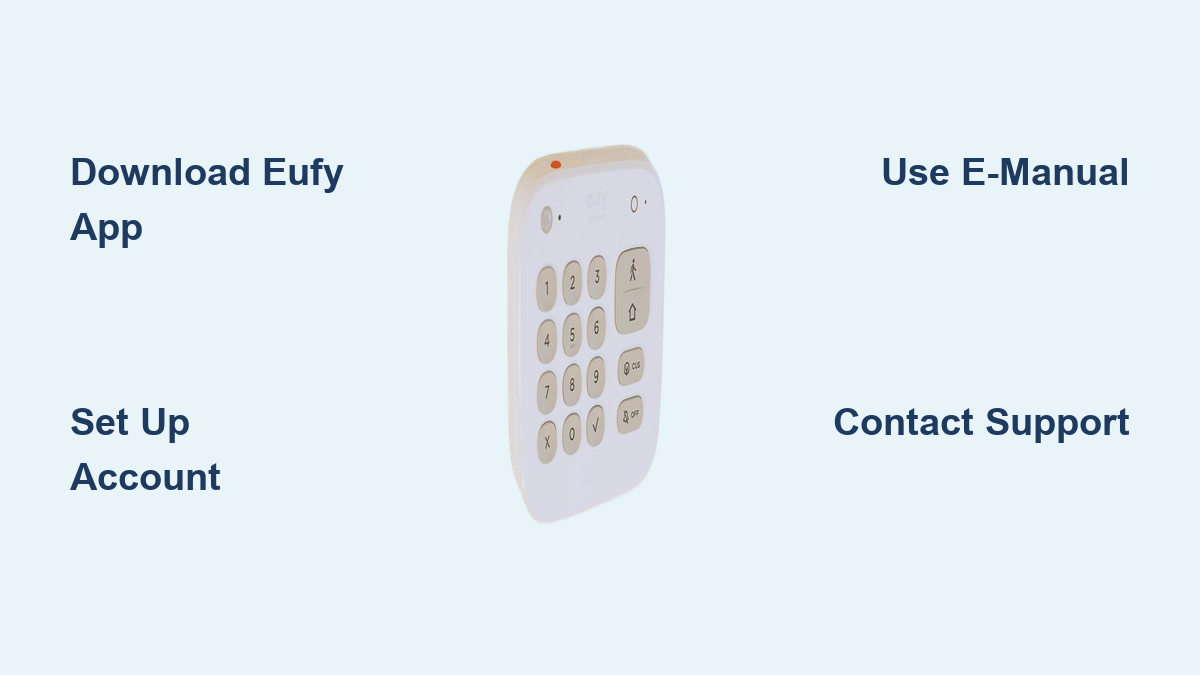
Before you can effectively use your eufy keypad, you must install the correct companion application. The eufy app serves as your primary control center for security system management, including keypad functionality. This application is mandatory for programming codes, monitoring system status, and receiving security alerts directly to your smartphone.
For users with integrated cleaning systems that include keypad controls, install eufy Clean alongside the security app. If your keypad connects with broader eufy smart home devices, the eufylife app provides additional ecosystem management capabilities. All three applications are available on both iOS and Android platforms through their respective app stores.
Account Setup Process
Creating your eufy account is the critical first step before attempting to connect your keypad. During registration, you’ll need your device ID, typically found on the product packaging or documentation. This unique identifier links your physical keypad to your digital account, enabling remote management and code programming through the mobile application.
Once your account is established, navigate to the “My Codes” section within the app to begin programming access codes for your keypad. This feature allows you to create and manage user-specific codes directly from your smartphone, eliminating the need for complicated manual programming sequences on the keypad itself.
Accessing Official eufy Keypad Documentation
Downloading Your e-Manual
The most reliable source for specific keypad usage instructions is the official e-Manual provided by eufy. Within the eufy mobile application, locate the “Download e-Manual” option to access documentation tailored to your exact keypad model. This digital manual contains model-specific programming instructions, button functions, and troubleshooting guidance that generic online tutorials cannot provide.
Unlike third-party guides that may reference outdated features or incorrect procedures, the e-Manual reflects current firmware versions and supported functionality. Keep this document accessible on your phone for quick reference when setting up or troubleshooting your keypad.
Security Web Portal Features
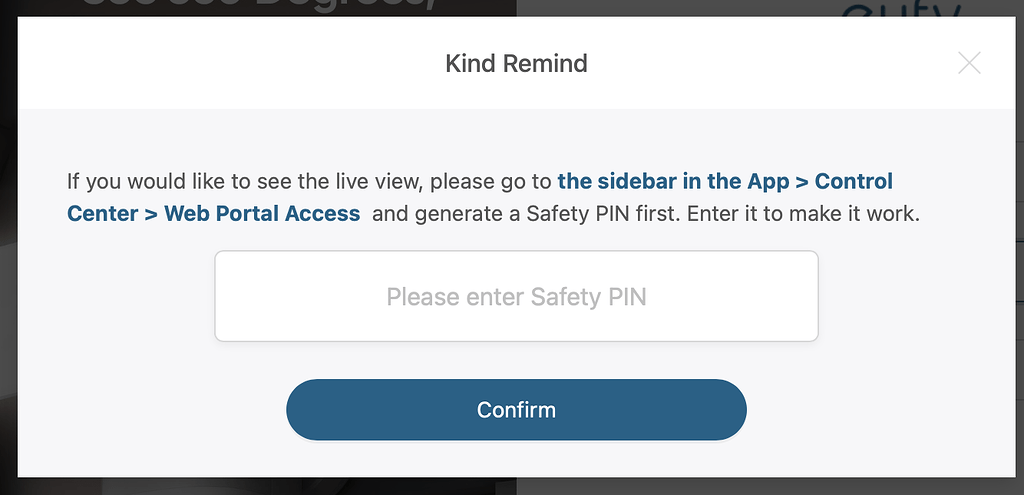
For more advanced configuration options beyond basic mobile app functionality, log into the Security Web Portal using your eufy account credentials. This browser-based interface offers detailed system management capabilities, including comprehensive keypad programming, user code management, and integration settings with other security components.
The web portal provides a larger interface for complex programming tasks that might be cumbersome on a mobile device. Here you can set up schedules, customize alarm responses, and configure which security sensors trigger specific keypad behaviors.
Troubleshooting Common Keypad Issues
Direct Support Channels for Immediate Assistance
When your eufy keypad isn’t functioning as expected, the fastest resolution comes from contacting eufy directly through their dedicated support channels. For security-related keypad issues, call +1 (800) 988-7973 where specialists can walk you through model-specific troubleshooting steps. Support is available Monday through Sunday, 8:00 AM to 4:00 PM Pacific Time.
If your keypad integrates with cleaning systems, use the dedicated support line +1 (800) 994-3056. For non-urgent issues, email support@eufy.com with your keypad model number, a detailed description of the problem, and any error messages you’ve encountered. Include photos or videos if possible to accelerate the troubleshooting process.
Live Chat and Support Center Resources
Access immediate assistance through the Website Live Chat feature available on eufy’s official support site during standard business hours. This option connects you with support agents who can provide real-time guidance for common keypad issues like unresponsive buttons, code entry problems, or connectivity errors.
The Support Center serves as a comprehensive knowledge base with searchable articles covering frequently encountered keypad challenges. Filter content specifically for your keypad model to find relevant solutions. Many common issues, such as battery replacement procedures or code reset sequences, have step-by-step guides with visual references to prevent user error.
Warranty Protection and Return Options
Hassle-Free Warranty Coverage
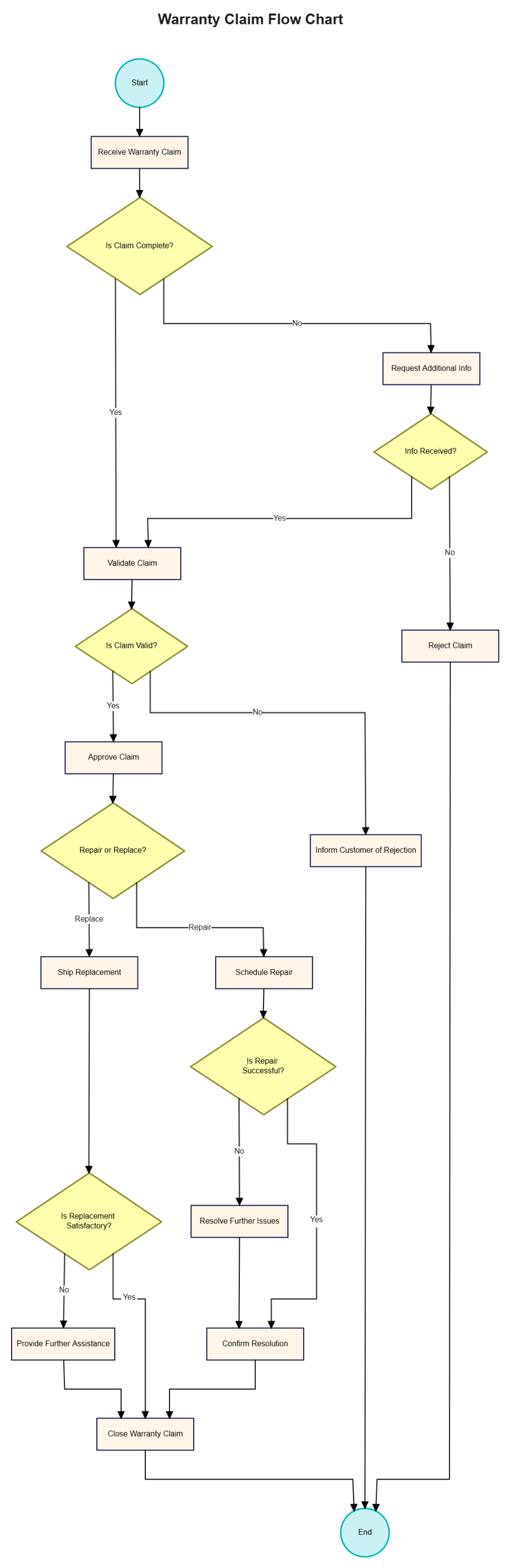
Your eufy keypad comes with a hassle-free warranty that simplifies the repair or replacement process should hardware issues develop. To initiate a warranty claim, log into your account and navigate to the Process a Warranty portal. You’ll need your original purchase receipt and product serial number to verify coverage.
Unlike many electronics manufacturers, eufy’s warranty process is designed for minimal user inconvenience. In many cases, they’ll ship a replacement unit before requiring you to return the defective keypad, ensuring your home security remains intact during the warranty period.
30-Day Money-Back Guarantee
If your eufy keypad simply isn’t meeting your expectations, take advantage of the 30-day money-back guarantee for new purchases. This policy allows you to return the keypad for a full refund if you’re unsatisfied with its performance or compatibility with your existing security system.
To qualify, keep all original packaging and documentation. Initiate the return through your account dashboard rather than contacting standard customer service, as this triggers the specialized return process. The guarantee covers both functionality issues and buyer’s remorse, provided the return occurs within the 30-day window.
Maximizing Your Keypad Experience
Account Management Features
Once your keypad is operational, optimize your experience through the account management features available in the eufy app. The Order Tracker keeps you updated on any replacement parts or accessories you might order for your keypad system.
Explore the eufyCredits Rewards Program to earn points toward future keypad-related purchases or accessories. Many users overlook this feature, but consistent engagement with the eufy ecosystem can offset future security upgrades or maintenance costs.
Security Best Practices for Keypad Users
Protect your home security system by regularly reviewing your keypad access codes through the “My Codes” section of the app. Delete unused or temporary codes immediately after their intended purpose has been fulfilled. Never share codes via text message or email where they could be intercepted.
Consider enabling the Report a Vulnerability feature if you discover any security concerns with your keypad’s functionality. This proactive measure helps eufy address potential issues before they affect other users, contributing to overall system security improvements.
Getting Additional Help When Needed
Specialized Assistance Programs
For enhanced protection beyond the standard warranty, explore the Protection Plan options available through your eufy account. These extended coverage plans often include priority support access, which can significantly reduce wait times when you need urgent keypad assistance.
If you’re using a refurbished keypad unit, verify its certification status through eufy’s Officially Certified Refurbished Products program. Certified refurbished keypads come with the same warranty coverage as new units but at a reduced cost.
Final Setup Verification
Before considering your keypad setup complete, verify all functions through the mobile application. Check battery status, test code entry, and confirm alarm triggering works as expected. The app’s system health monitoring will alert you to any connectivity issues between your keypad and other security components.
When in doubt about any keypad function, resist the temptation to guess or follow unverified online advice. Instead, use the official support channels to get model-specific guidance. This approach prevents configuration errors that could compromise your home security system’s effectiveness.
Key Takeaway: Mastering your eufy keypad starts with connecting to the right resources, not guessing at functionality. By leveraging the official e-Manual, security web portal, and direct support channels, you’ll gain confidence in using your keypad correctly. Remember that eufy’s dedicated phone support line (+1 800-988-7973) provides the fastest resolution for model-specific questions, while the 30-day money-back guarantee ensures you can make an informed decision about your security setup. Keep your account information updated and regularly check for firmware improvements through the official channels to maintain optimal keypad performance.