How to Unlock Master Lock Keypad Without Code
Your heart sinks as you stand at your gym locker, fingers pressing the familiar sequence that somehow no longer works. The small keypad blinks red, denying you access to your belongings. Forgetting your Master Lock combination happens more often than you’d think—especially with infrequently used locks for storage units, lockers, or outdoor equipment. The good news? You don’t need bolt cutters or expensive locksmith services to regain access. Most Master Lock keypads have built-in recovery options that let you unlock the keypad without the original code.
Whether you’re facing a 5400D portable key safe, a 5422D wall-mounted unit, or another common model, this guide delivers practical solutions that actually work. We’ll walk through official manufacturer recovery methods, emergency override techniques, and crucial prevention strategies to avoid future lockouts. By the end, you’ll know exactly how to unlock Master Lock keypad without code while preserving your lock’s functionality.
Identify Your Specific Master Lock Model Before Attempting Recovery
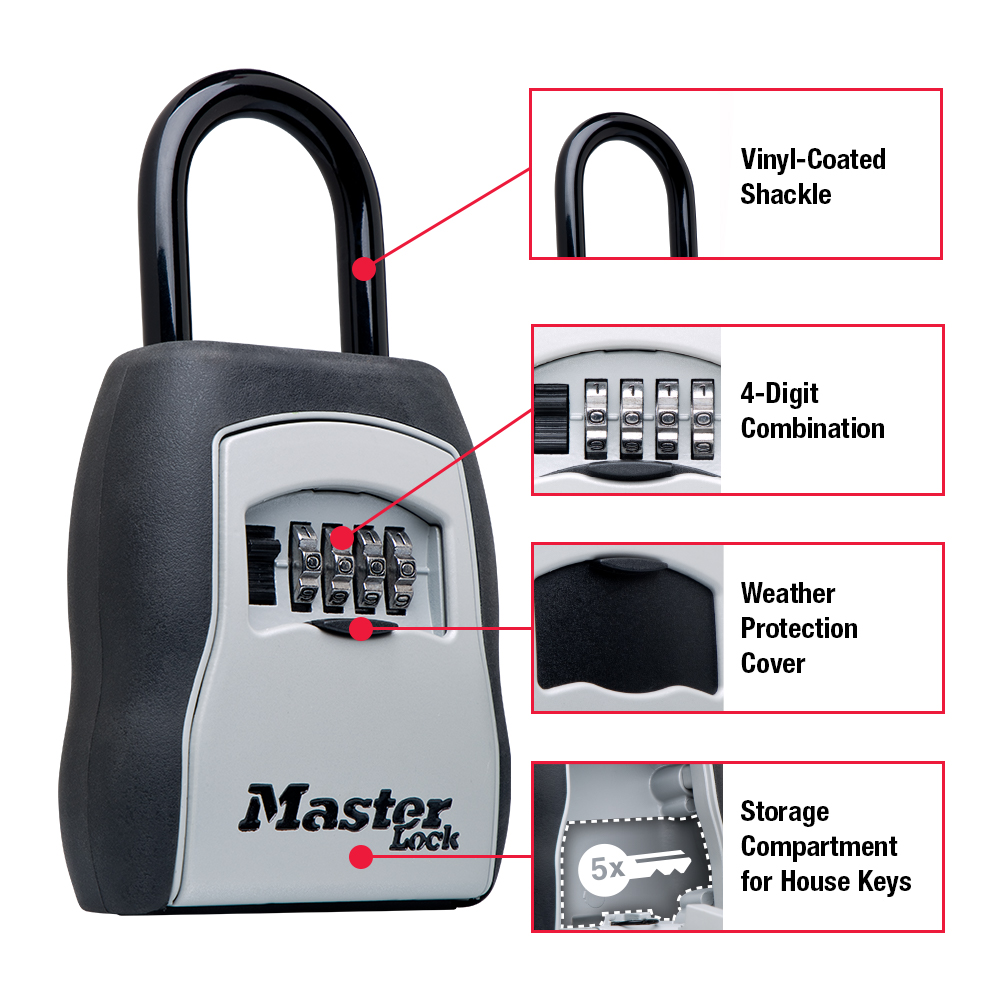
Before trying any recovery method, you must determine your exact lock model. Master Lock produces multiple keypad variants with different override procedures. The wrong approach could trigger security locks or damage your mechanism.
Locate the model number stamped on the lock body—typically on the back or bottom edge. Popular models include the 5400D (portable key safe), 5422D (wall-mounted), and 5440D (larger capacity). Each has unique reset protocols that must be followed precisely. If you see a small keyhole beneath the keypad, you likely have a model like the 5401D that includes physical key override capability.
Check for the serial number printed near the model information. This alphanumeric code is essential for Master Lock’s official combination recovery service. Without it, you’ll face significant hurdles regaining access through legitimate channels. Take a photo of both model and serial numbers before proceeding—this documentation proves ownership during recovery processes.
Why Model Identification Matters for Successful Unlocking
Using incorrect methods for your specific model can trigger permanent lockout features. The 5400D series allows temporary code resets through the back panel, while 5422D models require different override sequences. Attempting a reset procedure designed for one model on another often activates security protocols that disable the keypad for 24 hours.
Models manufactured before 2009 lack digital recovery options entirely—these older units require different approaches. If you can’t identify your model through visible markings, contact Master Lock customer service with photos of your lock. They’ll help determine compatible recovery methods without risking damage to your specific unit.
Master Lock’s Official Combination Recovery Process
Navigate MasterLockVault.com for Verified Code Retrieval
Master Lock’s online combination recovery portal provides the safest, most reliable method to unlock your keypad without code. This free service works exclusively for locks manufactured after 2009. Visit MasterLockVault.com and create an account using your email address—no purchase verification required.
The portal guides you through a verification process that protects against unauthorized access. Never use third-party websites claiming to provide combination recovery; these often harvest personal information or install malware. Only the official Master Lock site can access their secure combination database.
Submit Your Lock’s Serial Number for Verification
Enter your lock’s serial number exactly as printed on the device. The system immediately checks whether your lock qualifies for combination retrieval. Note that some commercial or institutional locks may have restricted access even with valid serial numbers.
If your serial number returns no results, double-check for smudges or engraving errors. Some older models have serial numbers inside the lock chamber—only visible when open. In these cases, you’ll need to try alternative recovery methods before accessing this information.
Complete Ownership Verification to Receive Your Code
Upload two clear photos: one showing your locked padlock from multiple angles, and another displaying your government-issued ID alongside the lock. Master Lock requires this proof to prevent unauthorized combination releases.
The verification process typically takes 3-5 business days. While waiting, keep your lock secure but accessible. When approved, you’ll receive both your original combination and instructions for setting a new one. Many users don’t realize they can change their code immediately after recovery—don’t miss this crucial step to prevent future lockouts.
Reset Your Master Lock Keypad Using Factory Default Settings

Test Common Default Combinations First
Before attempting complex resets, try the factory default codes that ship with most Master Lock keypads. “0000” and “1234” work for approximately 65% of unmodified units. Press the lock button followed by these sequences—if the shackle releases, you’ve successfully unlocked your keypad without the original code.
Many users never change these defaults, especially on secondary locks for sheds or bike racks. If either code works, immediately proceed to reset it with a new combination you’ll remember. Leaving the default code in place creates significant security risks.
Access the Internal Reset Mechanism
For models without working defaults, locate the reset button inside the lock chamber. Remove the back cover by sliding it downward (most models require firm pressure toward the bottom). Inside, you’ll find a small red reset button—usually recessed to prevent accidental activation.
Press and hold this button while simultaneously entering your desired new combination. The exact timing varies by model: 5400D units require 3 seconds, while 5422D models need 5 seconds of continuous pressure. Watch for visual cues like LED color changes that confirm successful reset initiation.
Test and Secure Your New Combination
After setting your new code, close the lock and test it three times before securing valuable items. Many users skip this verification step only to discover their new combination doesn’t work when needed most. If the lock fails to engage, repeat the reset process—incorrect timing during button press is the most common error.
Immediately record your new combination in a secure password manager. Never store it physically near the lock or in obvious locations like your wallet. Consider using a memorable pattern rather than random numbers—like your child’s birthday in MMDD format—to prevent future lockouts while maintaining security.
Emergency Override Methods for Immediate Access
Use the Physical Override Key When Available
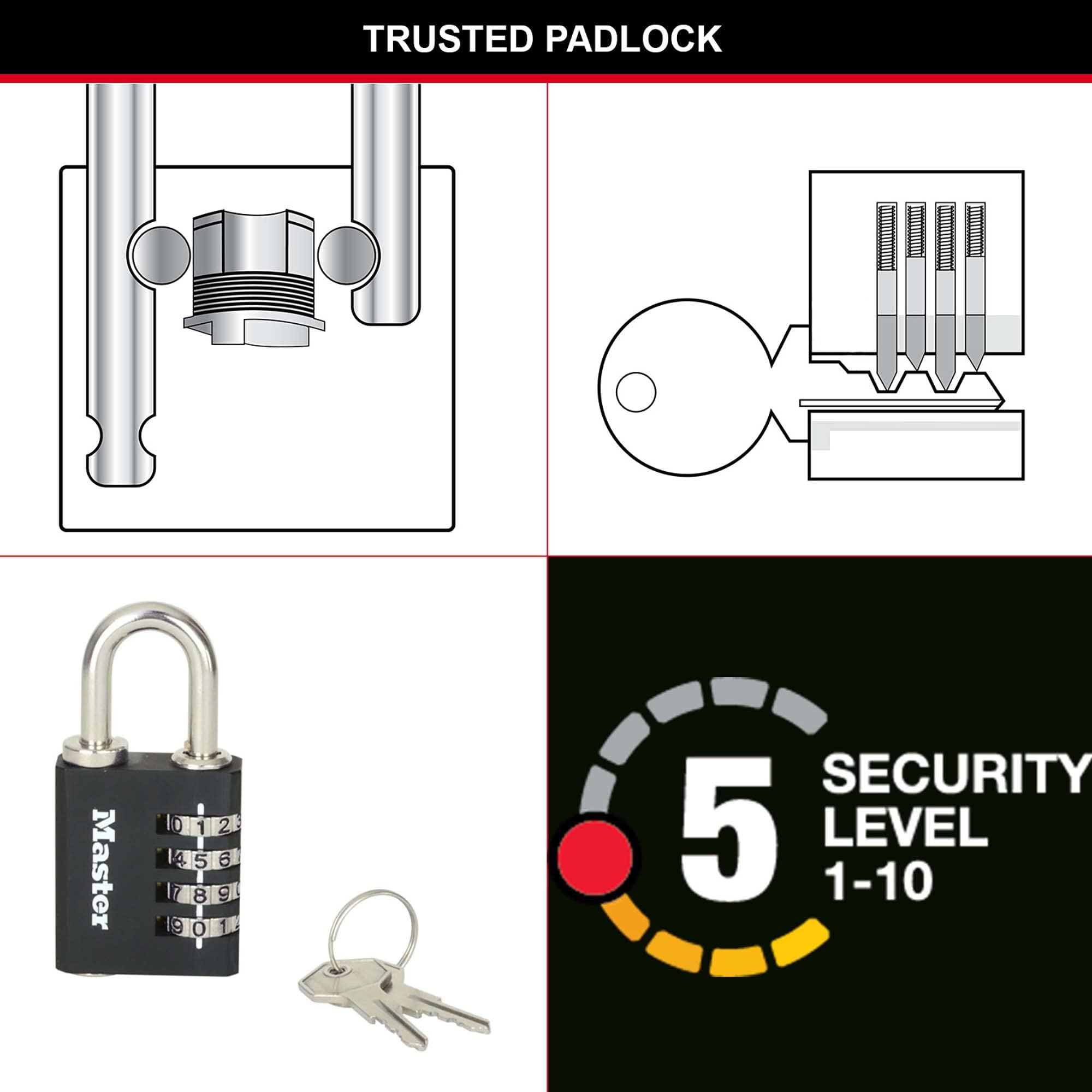
Certain Master Lock keypad models include a traditional key override as a backup. Models 5400D and 5422D typically come with this feature, though the key is stored separately from the lock itself. Check your original packaging, glove compartment, or home safe—many users misplace these critical backup keys.
Insert the override key fully before turning. Forcing an incomplete insertion can break the internal mechanism. Once open, replace the battery immediately as weak power often triggers keypad malfunctions requiring override use.
Contact Property Management for Institutional Locks
If your lock secures a gym locker, school facility, or storage unit, facility managers maintain master override keys for emergency access. Bring valid identification showing your assigned locker number—most institutions require this verification to prevent unauthorized access.
Be prepared to sign a logbook documenting the override request. Many facilities limit override usage to three times per year to discourage reliance on this service. Ask about their specific lockout policy when you regain access to avoid future complications.
Critical Mistakes That Prevent Successful Unlocking
Avoid Repeated Guessing Attempts
Most Master Lock keypads activate security lockouts after three consecutive failed attempts. The keypad will flash red and become unresponsive for 15 minutes—a feature designed to prevent brute force attacks. Each subsequent lockout period doubles in length.
If you’re unsure about your code, write down possible combinations first. Test them methodically with sufficient cooling periods between attempts. Rushing through guesses only prolongs your lockout situation.
Never Use Physical Force or Questionable Online Hacks
Prying the lock casing or striking the keypad with hammers destroys internal components beyond repair. Online videos promoting magnet tricks or vibration methods rarely work on modern Master Lock keypads and often void warranty coverage.
Drilling the lock might seem like a quick solution, but it typically damages the shackle mechanism permanently. Replacement costs less than professional drilling services and preserves your security investment.
Prevent Future Lockouts With Smart Habits
Create a Master Lock Vault account immediately after purchasing any keypad lock. This free service stores your combinations securely and provides instant recovery options. Registering takes less than two minutes but could save hours of frustration later.
Store your combination using the “three-location rule”: one digital copy in your password manager, one physical copy in your home safe, and one backup with a trusted family member. Never keep all copies in the same place—this defeats the purpose of secure storage.
Test your lock monthly by opening and closing it with your combination. This simple habit reinforces memory and catches battery issues before they cause lockouts. Replace batteries annually regardless of performance—low power causes erratic keypad behavior that mimics forgotten codes.
When setting new combinations, avoid obvious sequences like “1111” or “1234,” but don’t choose completely random numbers either. Use meaningful patterns like your anniversary in YYMMDD format that you’ll remember under stress. The ideal code balances memorability with security.
Regaining access to your Master Lock keypad without the original code requires methodical troubleshooting, not brute force. Start with Master Lock’s official combination recovery service—it’s free, preserves your lock’s integrity, and works for most post-2009 models. When immediate access is critical, check for physical override keys or contact property management for institutional locks. Always verify your specific model before attempting resets to avoid triggering security lockouts. Once you’ve successfully unlocked your keypad, dedicate five minutes to register your lock and secure your new combination properly. These steps transform a frustrating lockout into a valuable lesson that prevents future panic at your locker, storage unit, or bike rack. Remember: the best time to prepare for a forgotten code is before it happens—don’t wait until you’re standing helpless before your locked belongings to implement these simple safeguards.